Skip to content
Back to DTYPE LAB

CycleArc

Released · Windows tray app

Codex, Claude and Cursor limits per account, in the Windows tray.

Windows 11, or Windows 10 Enterprise LTSC 1809 or Enterprise/IoT Enterprise LTSC 21H2 (x64). The .NET runtime is bundled.

Production CycleArc 0.10.1 views · Sample accounts20 seconds · With sound

In the video

The tray icon opens the popup, which is refreshed. It shows the selected account's 5-hour and weekly usage, what is left and the reset times.
Two Codex accounts, a Claude account and a Cursor account are selected in turn. The detail card and the tray icon follow the selection.
The widget shows all four accounts side by side and is refreshed.
Work's 5-hour usage passes 70% and its ring turns amber. Orange starts at 85%, red at 100%.

Desktop widget

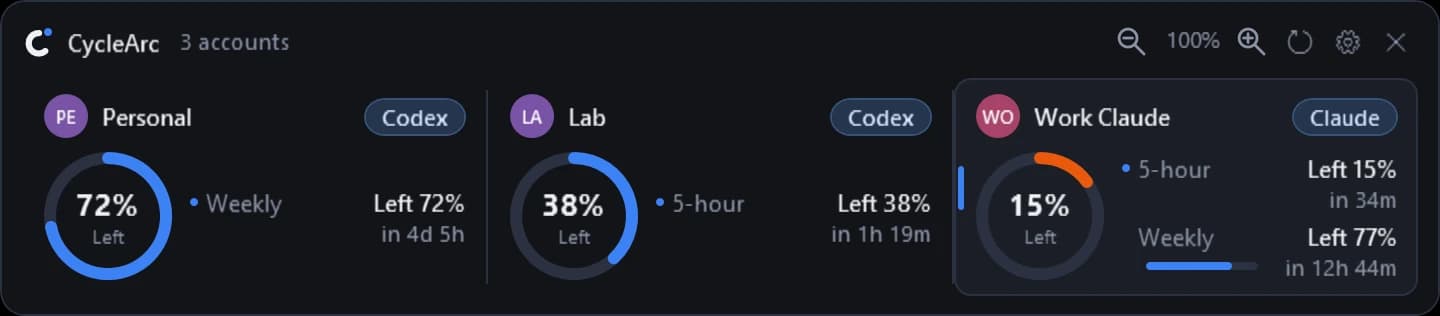
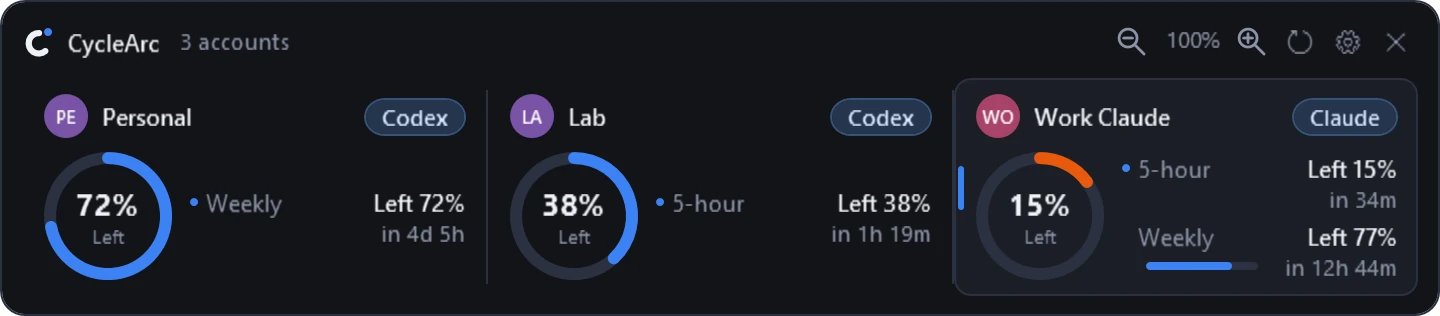
An optional widget that lines accounts up side by side. Each ring is colored by the actual usage of the limit it shows.

English CycleArc desktop widget with three synthetic Codex and Claude accounts and sample quotas
English desktop widget · Development preview · Sample dataView full-size image

Notes

Working now
Per-account Codex, Claude and Cursor usage, remaining allowance and reset times in a tray popup and an optional desktop widget. Accounts keep separate limits and refresh states, and unknown values stay unknown. English/Korean and Dark/Light/System themes are included.
Connections
Codex uses the installed Codex CLI; Claude uses the official Claude CLI and the same account signed in to Claude Desktop; Cursor uses the current login in the Windows Cursor app. Selecting an account changes what CycleArc shows, not another app's login.
Video
The windows are the production CycleArc 0.10.1 views recorded with sample accounts; the desktop, pointer, captions, camera moves and soundtrack were added afterwards.
Status
An installer and a portable ZIP are on GitHub Releases.